SNMP Job
SNMP (Simple Network Management Protocol) is a standard internet protocol for managing devices connected to IP networks. Learn more about SNMP here.
SNMP Job Configuration
Click Create SNMP configuration to set parameters for the SMNP job. Use the table below to fill in the fields correctly.
| Field | Description |
|---|---|
| Configuration Name | Name of current configuration. |
| Transport | TCP or UDP protocol, depending on the configuration of the queried SNMP service. |
| Port | TCP or UDP port, depending on the configuration of the queried SNMP service. |
| MIB Name | Choose one of the uploaded MIB files from the drop-down list. To upload your MIB, navigate to Admin > SNMP MIBs and click Upload. Otherwise it will not appear in the list. |
| Timeout, seconds | Number of seconds after which the query will be interrupted, -1 is unlimited. |
| Retries | Number of retries to establish a connection. |
| Maximum Repetitions | Defines the maximum number of iterations over the repeating variables. |
| Non Repeaters | Defines the number of supplied variables that should not be iterated over. |
| Version | SNMP version. |
| Community | |
| Metric Prefix | Prefix added to metric names, used to identify and group metrics. |
| Collection | Queried SNMP services. |
| Tag Names | Source of tags. |
| Metric Columns | Columns containing the metric values. |
Additional Fields for Version3c
If you choose option the Version3c in the Version field, you will be prompted to set the following parameters.
| Field | Description |
|---|---|
| Security Name | Name of user for the 3rd version of the protocol with security support. |
| Authentication Pass Phrase | Password of phrase for authentication. |
| Authentication Protocol | Encryption protocol for authentication. Possible values: MD5, SHA. |
| Privacy Pass Phrase | Pass phrase for data transmission. |
| Privacy Protocol | Protocol for data encryption. Possible values: DES, TRIPLE_DES, AES128, AES192, AES256. |
| Security Level | Security type. Possible values: NO_AUTH_NO_PRIV - no authentication and no encryption. AUTH_NO_PRIV - authentication and no encryption. AUTH_PRIV - with authentication and encryption. |
Configuration Example
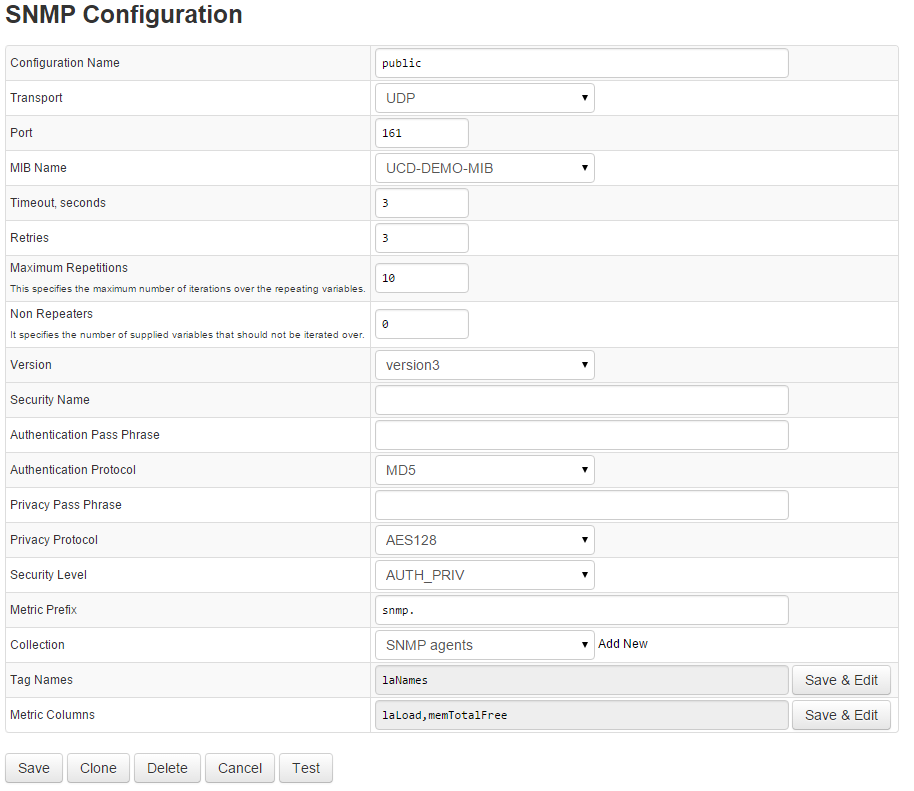
The image below shows possible SNMP configuration.