
Microsoft System Center Operations Manager
Overview
Microsoft System Center Operations Manager (SCOM) is an agent-based monitoring system for the Microsoft Windows operating system and applications that run on it.
SCOM collects and stores statistics from Windows servers in Operations (PerformanceDataAllView) and DataWareHouse (vperf_raw, vperf_hourly, vperf_daily) database views.
Axibase Collector queries PerformanceDataAllViewin the SCOM Operations database view every 30 minutes to offload incremental data into the Axibase Time Series Database for long-term retention and operations analytics.
Requirements
- Microsoft System Center Operations Manager 2012+.
Installation steps
Import Microsoft SCOM JDBC job
- Open the Jobs:Import page and upload the collector-jobs-scom-jobs.xml file.
Configure Microsoft SCOM Database Connection
- Open the Data Sources:Databases page and select the
scomdatabase. - Provide connection parameters to the target
scom-2012database as displayed below:
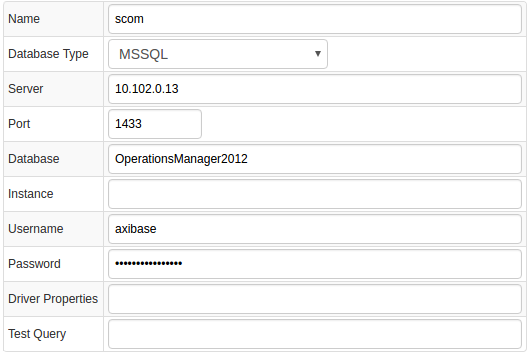
- Execute the following test query to check the connection:
SELECT 1
- Query result must be
Query OK.
Verify Job Configuration
- Open SCOM job.
- Set Data Source to
scom.
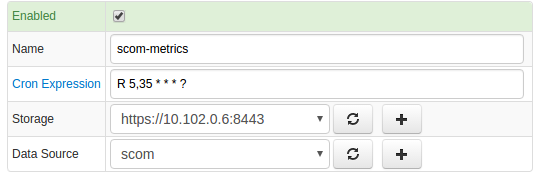
- Choose one of target ATSD instances if your Collector instance is connected to multiple ATSD servers.
- Save the Job.
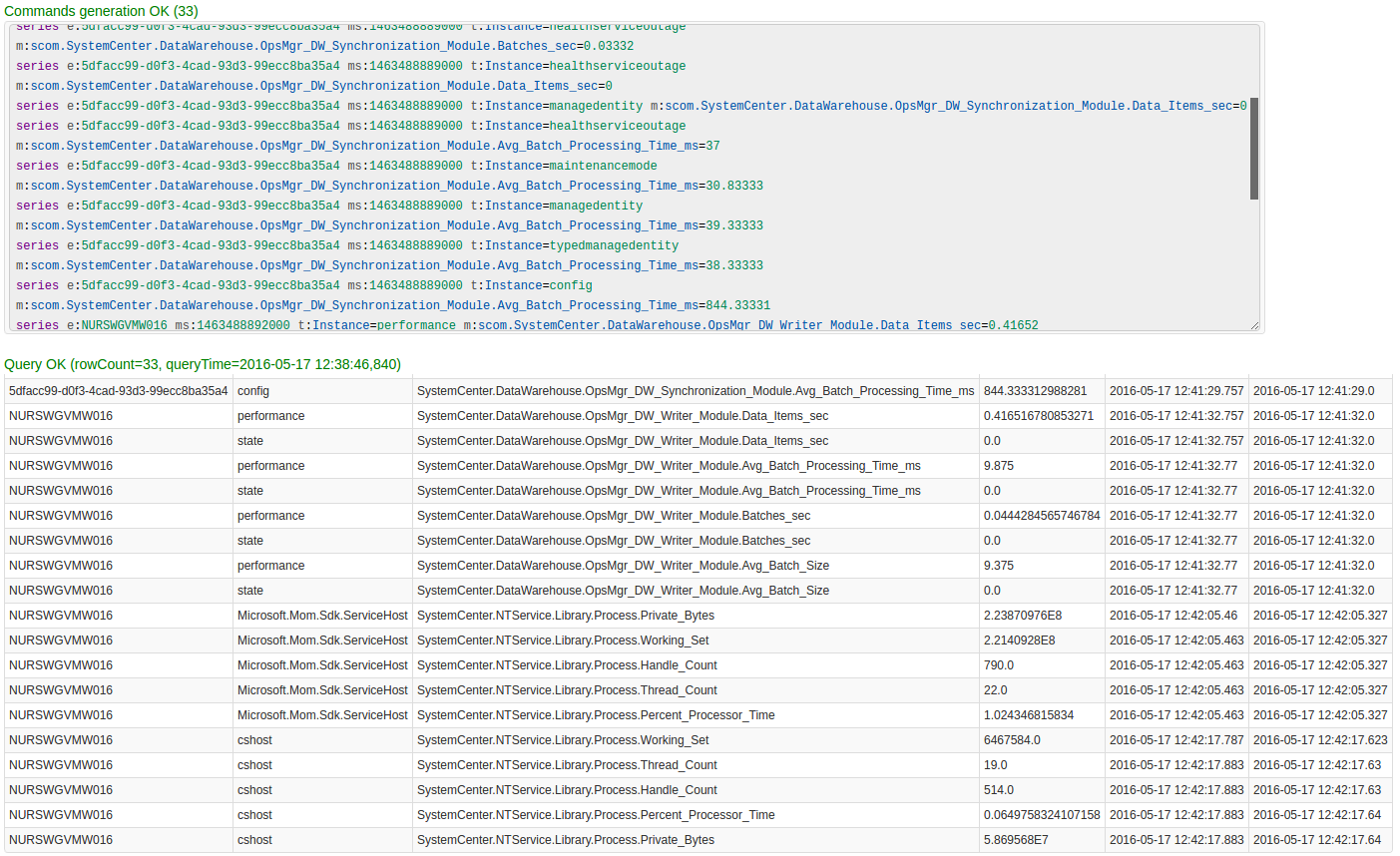
- Open each configuration, click on the [Test] button, and review the output. See Data Queries below.
Schedule the Job
- Open the
JDBC Jobpage and click the [Run] button for the Microsoft SCOM JDBC job. - Make sure that the job status is
COMPLETEDandItems ReadandSent commandsare greater than 0.

- If there are no errors, set job status to 'Enabled' and save the job.
Verify Metrics in ATSD
- Login into ATSD.
- Click on the Metrics tab and filter metrics by prefix
scom.*.

Viewing Data in ATSD
Metrics
- List of collected Microsoft SCOM metrics
Properties
- List of collected Microsoft SCOM properties
Entity Groups
scom-serversscom-databases
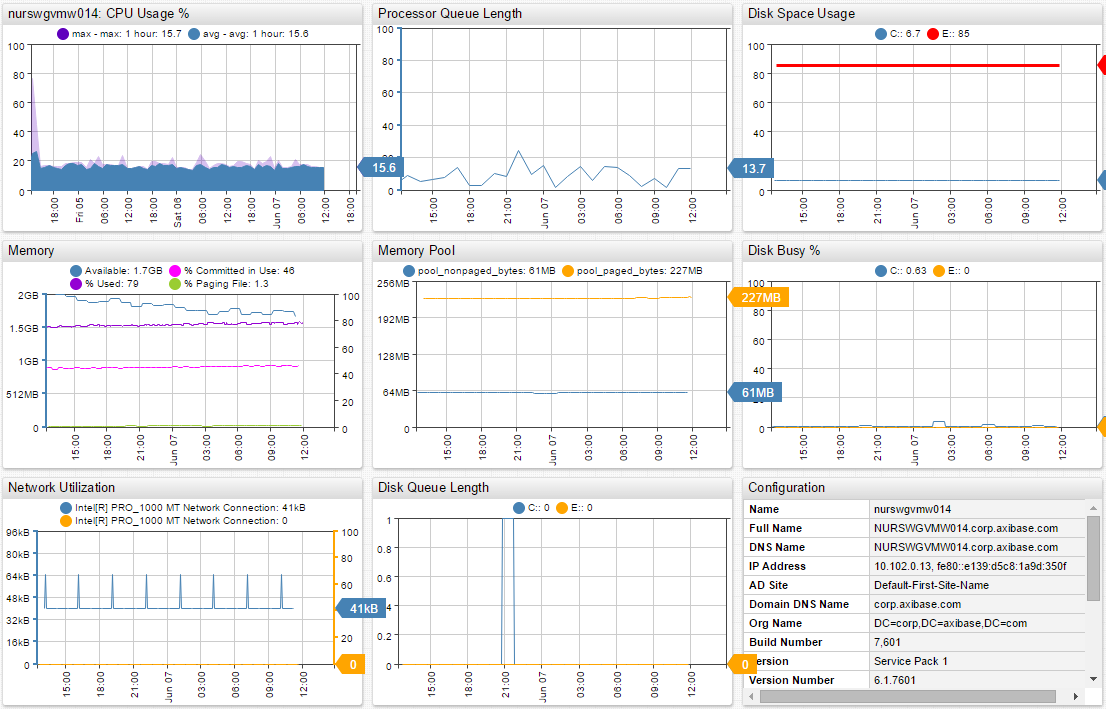
Portals
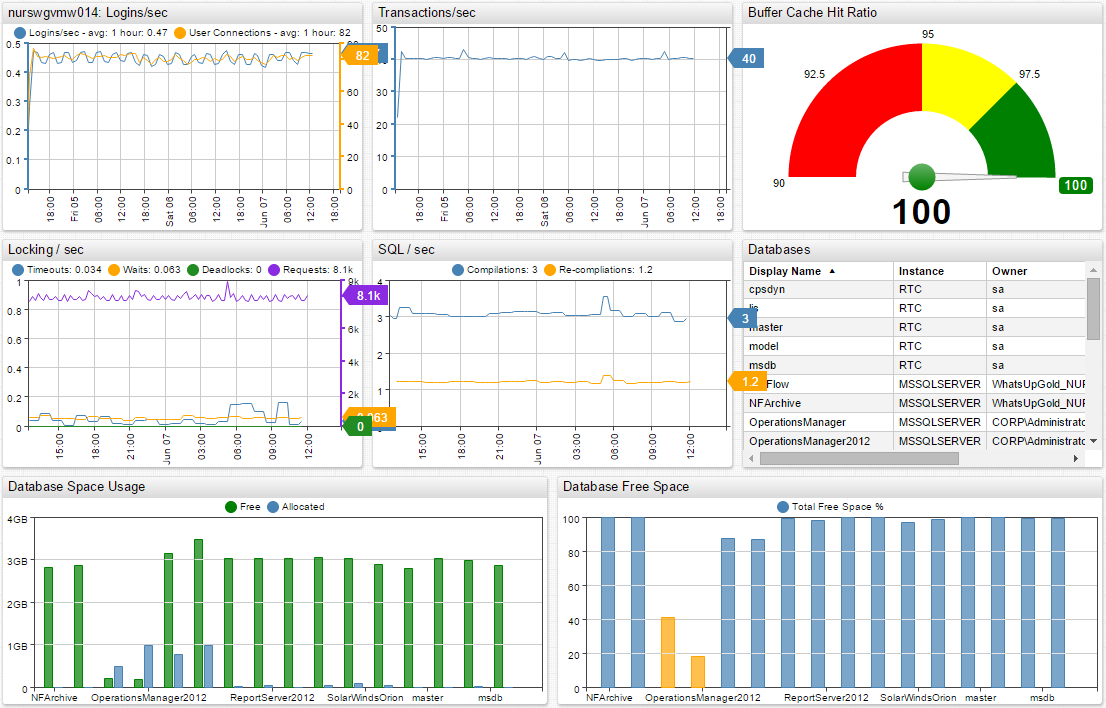
Data Queries
Data queries that offload recent metrics and properties.